POS
A Complete Overview of ERPNext POS Features and Capabilities
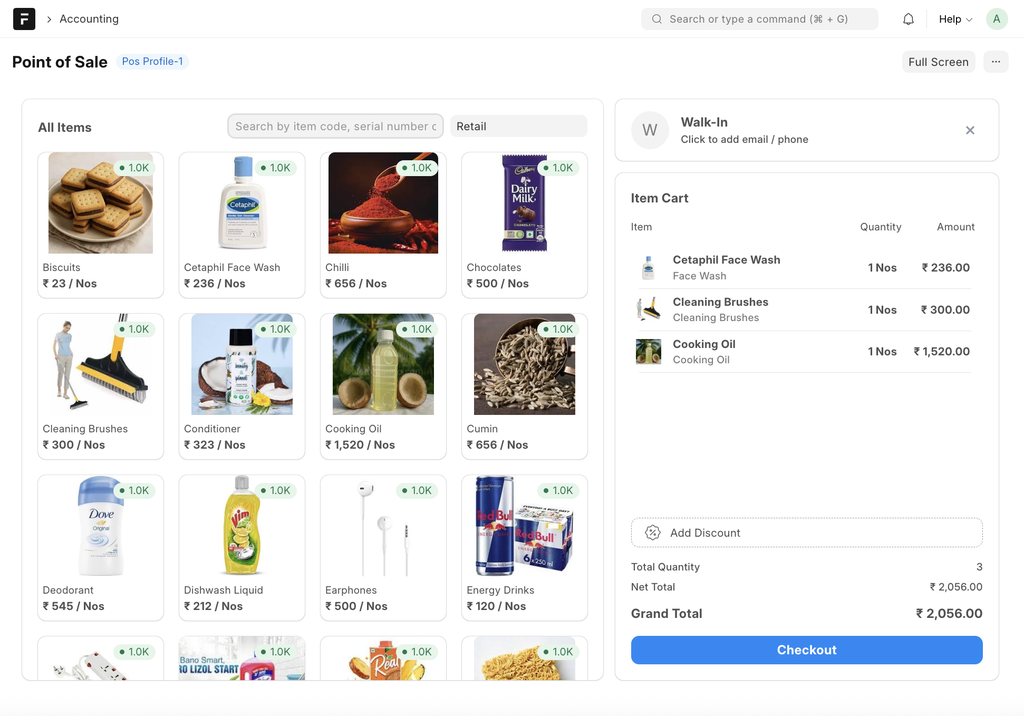
👆POS Screen
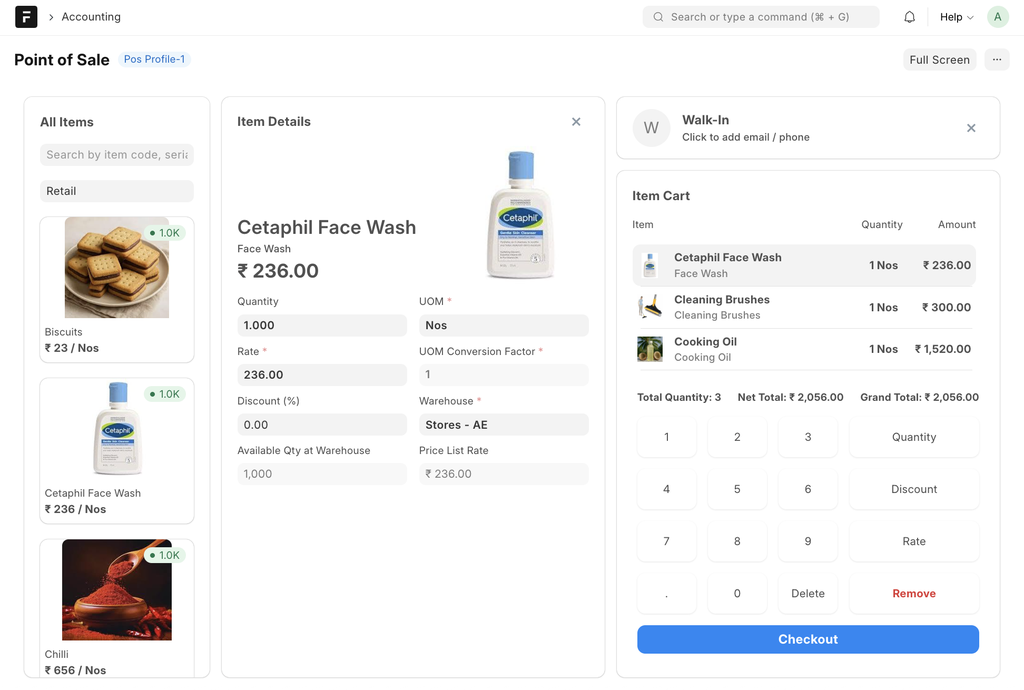
👆POS Item Screen
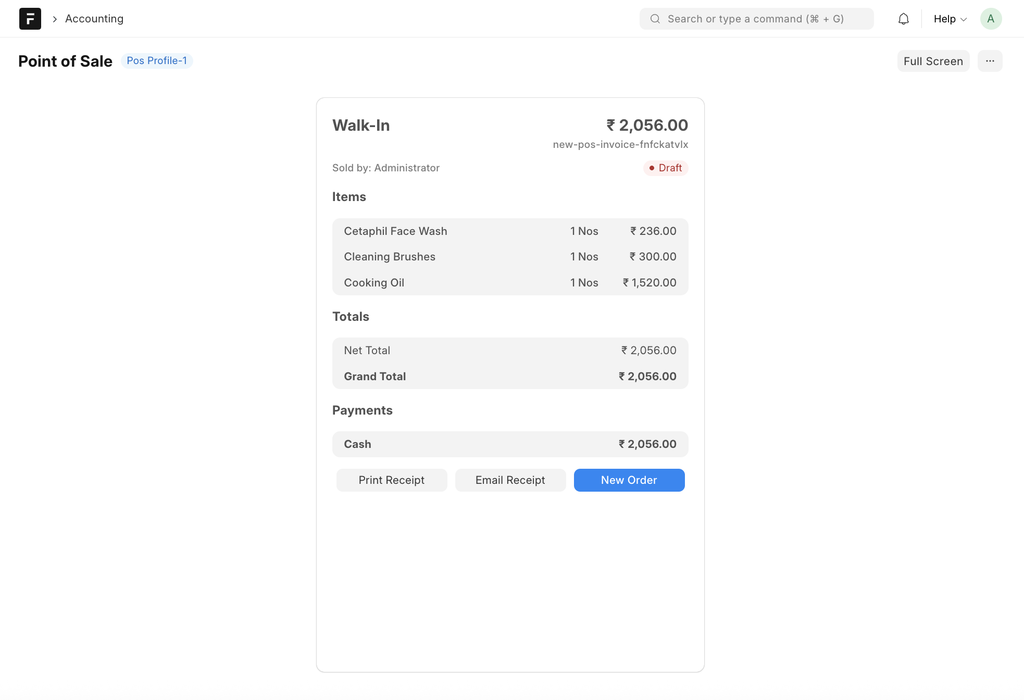
👆Checkout & Print Screen
POS:
• Item search by Item name, Item Group and item code to quickly find products during billing
• Item group or category wise item display for easy selection on the POS screen
• Item image support to help cashiers visually identify items
• Quantity and rate can be edited directly on the POS screen with proper permissions
• Line-level discount option to apply discounts on individual items
• Invoice-level discount to apply as overall discount on the complete bill
• Draft bill saving facility for incomplete or pending bills
• Return and refund process through POS return invoice
• Multiple payment modes can be used in one invoice (cash, card, UPI, etc.)
• Automatic tax calculation and total amount calculation
• Real-time stock availability & Prices shown while billing
POS Profile:
• Default customer setup for walk-in sales to speed up billing
• Default warehouse mapping to ensure correct stock deduction
• Price list selection based on retail or special pricing
• Multiple Users for Single POS Profile
• Configuration of payment modes allowed at POS
• Allowed item groups setup to control items visible on POS screen
• Allowed customer groups setup to control Customers visible on POS screen
• Print format selection for POS invoice printing
• Letterhead configuration for branded invoices
• Cost center mapping for proper financial tracking
• Income account mapping for accurate revenue accounting
• Option to allow or restrict discounts at POS
POS Opening & Closing:
• POS opening entry before starting sales
• Opening cash balance at the start of the POS session
• POS opening is maintained user-wise for better tracking
• System tracks all POS invoices generated during the session
• Expected cash amount is calculated automatically by the system
• POS closing entry is done at shift end or day end
• Payment mode wise reconciliation during POS closing
• Cash difference is identified between system and physical cash
• POS closing is mandatory before starting the next session
POS Consolidation:
• All POS invoices are consolidated on a daily basis
• Sales summary is available payment mode wise
• POS sales can be viewed user wise for performance tracking
• Daily cash collection from POS sales is tracked
• POS sales are automatically posted to accounting
Stock Effect (POS Transactions):
• Stock update happens on POS Closing entry
• Return invoices reverse the stock impact
• Stock Validation is Possible if No Stock/Partial Stock Available
No comments yet. Login to start a new discussion Start a new discussion